How to open a bank account in GTA 6
The account comes with Buck Me; on the Chapter 1 missions list it sits right after Clean Up After Donnie. The map card reads SET UP BANK ACCOUNT: “Lucia needs a bank account to get her community service payments. Meet her at the Fleeca nearby.”
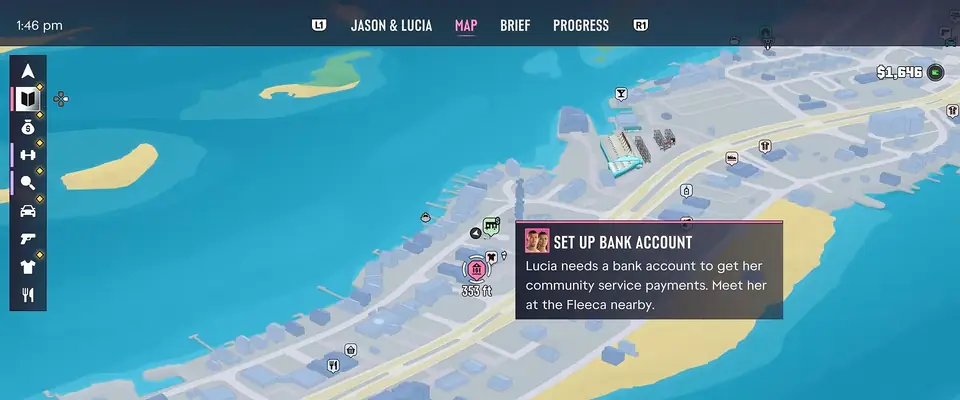
- Drive to the Fleeca. Inside, the objective is “Speak to the manager”, then “Follow the manager” to his office.
- The manager won't give the couple an account. Pick SAY NOTHING or SAVED CASH when asked: it changes Jason's line, not the result.
- That night a notification pops up: “Welcome to BuckMe, the payment app from Fleeca! Here's $100 for your new STANDARD CHECKING ACCOUNT”.
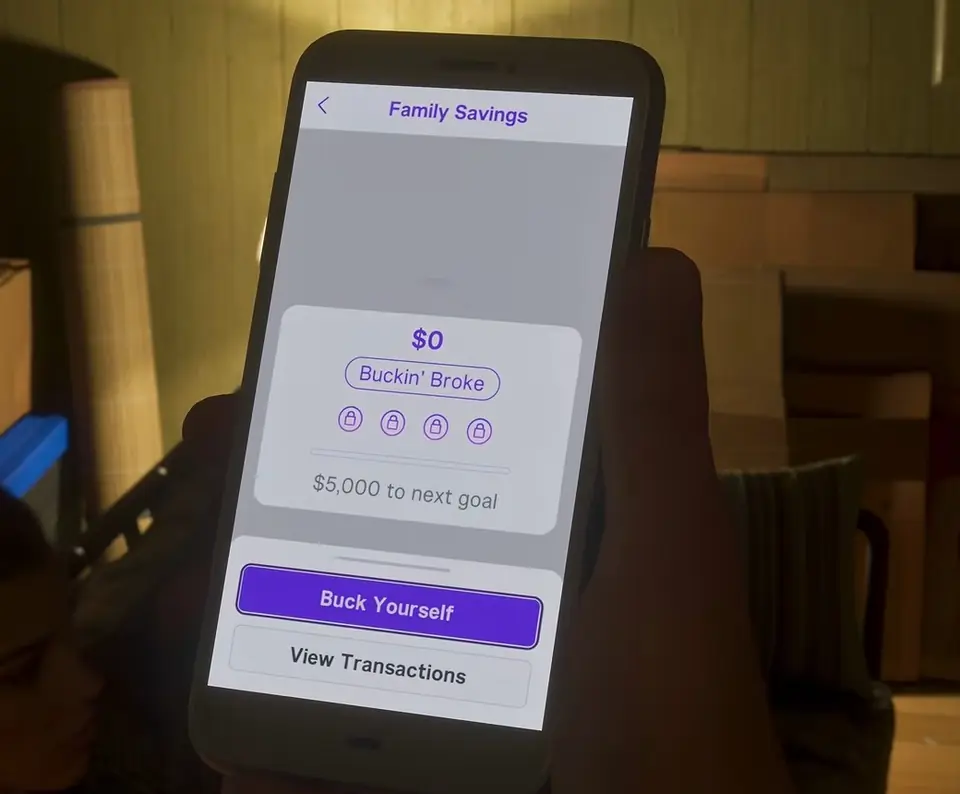
- Follow the prompts on screen: “Press Up to use your phone”, “Open BuckMe”, “Select your checking account”.
- “Select Buck Yourself” and “Move money into Family Savings account” walk you through your first transfer. Sending the $100 across ends the mission.
How to deposit cash at an ATM
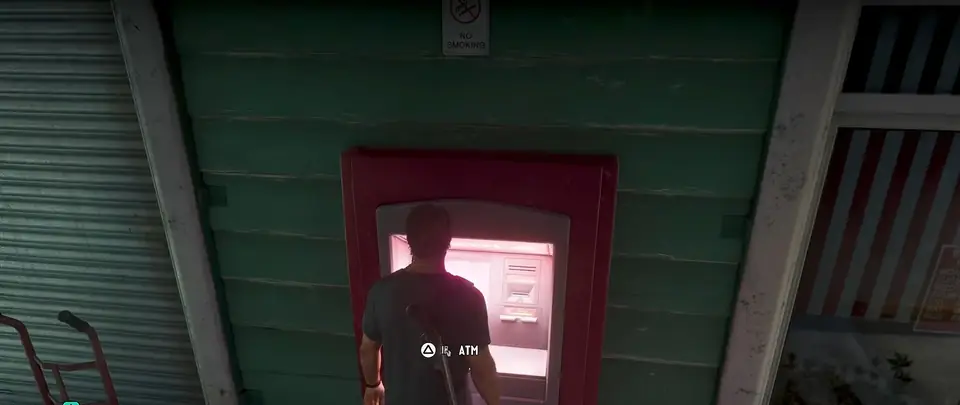
Cash in your pocket goes into the bank at an ATM. Stand in front of one and press Triangle on PS5 or Y on Xbox at the ATM prompt. The menu offers Deposit, Withdraw, Transactions. Choose Deposit, pick an amount and confirm; the screen thanks you with “Thank you for bucking with us”.
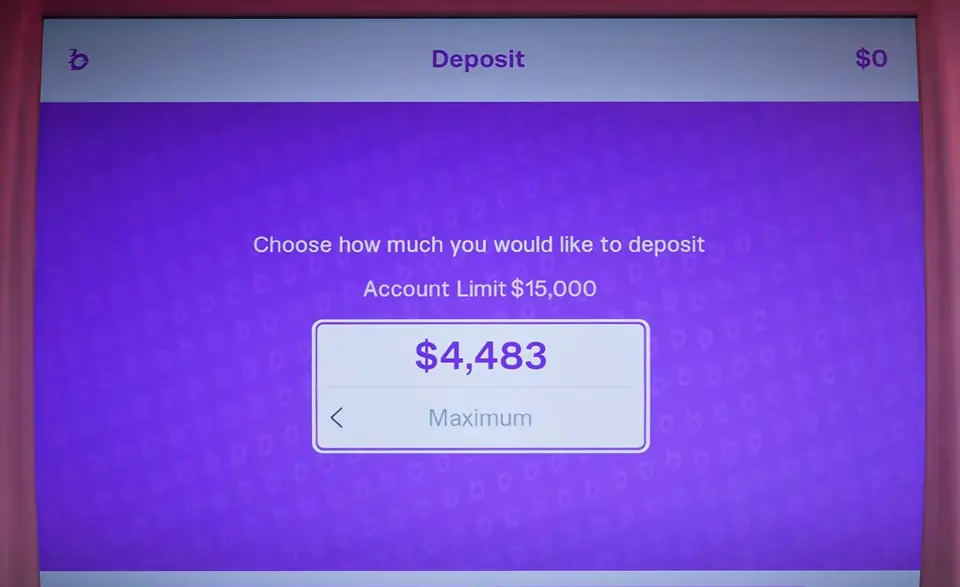
The deposit screen also shows the cap: early on, checking takes at most $15,000. That number is not fixed. Rockstar's support page on full BuckMe accounts says “Limits on BuckMe accounts increase as the story progresses.” Keep playing the main story to unlock the upgrades; money that could not land in a full account is paid in once it is upgraded.
To find a machine, scroll down in BuckMe to the ATM Finder card and set it as your destination.
Why BuckMe won't take more money
| What happens | Why | What to do |
|---|---|---|
| The ATM won't accept more cash | Checking is at its limit ($15,000 early on) | Carry on with the main story; each BuckMe upgrade lifts the limit |
| A payment to you did not arrive | It hit a full checking account | Nothing: it lands after the next upgrade |
| Family Savings won't take a transfer | Savings has a limit too | Same fix: story progress raises it |
| You want savings back in checking | Transfers into Family Savings are final | Leave it there; spend from checking |
| There is no BuckMe on your phone yet | The app comes with Buck Me | Keep cash in the floor stash until then |
Checking account, Family Savings and cash
| Where the money sits | What it does | Can you take it out? | Limit or goal |
|---|---|---|---|
| Checking Account (BuckMe) | Pay Someone, Buck Yourself, View Transactions | Yes, at an ATM (Withdraw) | $15,000 at first, rises with the story |
| Family Savings | Family Savings will earn interest | No | First goal $5,000 |
| Floor stash | Keeps cash at home | Yes, any time you are home | No limit on screen |
Save for the Future: the $5,000 goal
Two short tasks on the missions list build on the account: Deposit Cash Into BuckMe and Save for the Future. The second one says: “You are Buckin' Broke. Your family needs savings for a better future. Contribute to your BuckMe Family Savings account and reach the first goal.” The app starts you at Buckin' Broke, with $5,000 to the next goal.
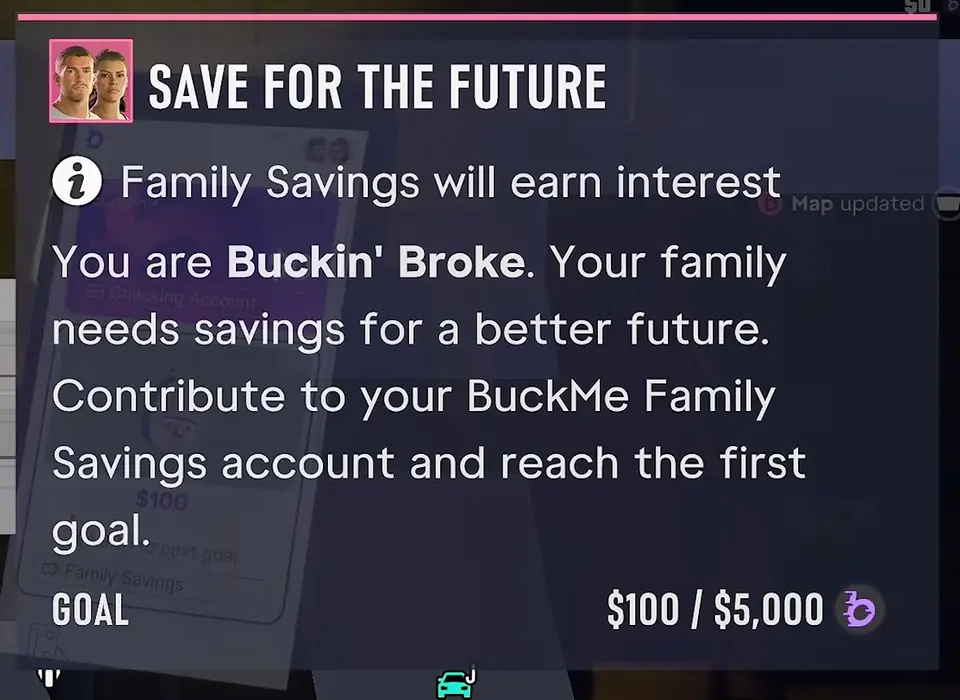
Before each transfer BuckMe asks “You will not be able to withdraw once transferred. Are you sure?” It means it. The fine print adds that “Any deposit in the Family Savings Account can only be accessed by named beneficiaries.” Move spare money only, and keep enough in checking for whatever you plan to buy next.
Where to keep cash before you have an account
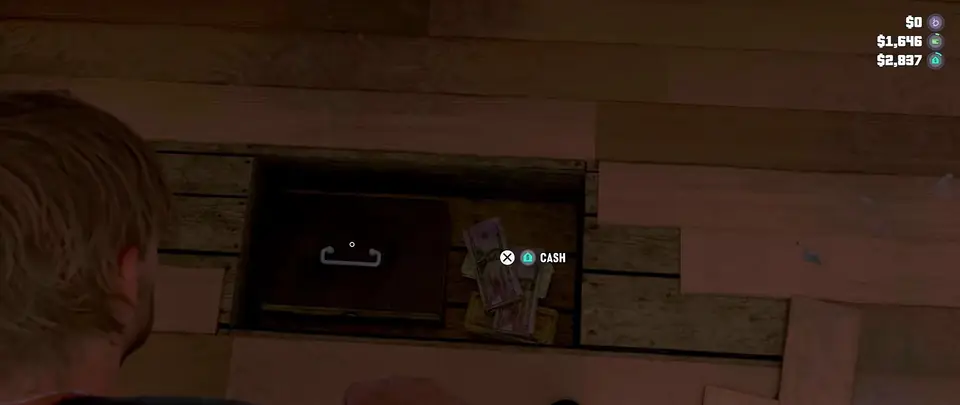
Your house has a stash under the bedroom floor. Open it with the STASH prompt to drop cash in or take it out. While it is open, the top corner lists three amounts: your BuckMe balance, the cash on you and what is in the stash. Empty it and take the lot to an ATM once Buck Me is done.
How we check this page
Each quote and number above comes off the game screen: the map card, the objective lines, the app screens and the ATM menu were matched across two or three launch-week videos and checked frame by frame. The starting $15,000 cap appears in both the app and the ATM, and the rule that it rises comes from Rockstar Support. Anything only one video showed, such as a minimum deposit, is left off. Updated November 20, 2026.
Earning money comes next: the GTA 6 car selling guide shows who buys stolen cars.
Questions
How do you get a bank account in GTA 6?
In the Chapter 1 mission Buck Me. Fleeca turns Jason and Lucia down for a normal account, and that night the bank's phone app, BuckMe, opens a checking account with $100.
How do you deposit money in GTA 6?
At an ATM: press Triangle or Y at the ATM prompt, choose Deposit, set the amount and confirm. The ATM Finder card in BuckMe sets a route to one.
How much money can you keep in BuckMe?
$15,000 in checking at the start; the ATM shows it on the deposit screen. Rockstar says BuckMe limits go up as you play the main story. Family Savings has goals instead, starting at $5,000.
Why can’t I put more money in BuckMe?
The account is full. Rockstar's answer is to keep playing the main story: each upgrade raises the limit, and any payment that bounced off a full checking account goes through once it is upgraded.
Can you withdraw money from Family Savings in GTA 6?
No. Once money moves into Family Savings it stays there, and the app asks you to confirm each transfer for that reason.
How do you finish Save for the Future in GTA 6?
Get Family Savings to $5,000, its first goal. Move money from checking with Buck Yourself in BuckMe; deposit cash at an ATM first if your checking account is short.
Should you pick Say Nothing or Saved Cash at the bank?
Either. SAY NOTHING and SAVED CASH only change what Jason says to the manager; the account gets turned down the same way and BuckMe still arrives.